


Locating Your Saved Password And Username With A Password Management System
Your password protection policy should be that you know all of your passwords and usernames and have them stored in a safe place.
Password security starts with cybersecurity which means you must be in control of how you store and manage your passwords.
Whether you are a business or are looking for personal protection you have to consider the options available to you.
Computers and technology are only going to advance and trying to remember every password and username is impossible.
Using the same username and password is a huge NO and giving your password or username to friends or family can cause problems.
The good thing about most websites today is that they offer two-factor identification.
This means they might ask you for a code they will text or email you or a code from an auto-generator app you an install on your phone.
Although this is great this post is about remembering your password and usernames and protecting them as well.
Password or Username Recovery
How many times have you had to reset your Instagram Password?
Honestly, the last thing you want to do is continue having to click on recover account for your favorite websites or social media.
I’ve been through that SO MANY times over the years that early this year I gave up and purchased a password manager app from the Google Play Store.
However, that’s not enough which is why we went a step further with a budget binder printable, “Password Keeper Manager“.
There are many reasons why you’d want to protect your passwords but even more to remember them.
Below I will talk to you about;
- Importance of a password keeper manager -app, printable or online document
- Where to store your password keeper printable
- Review of Keeper Password Manager App (we use this)
Value Of Creating or Purchasing A Password Keeper Manager
There a few valuable reasons why creating a management system for your personal information should be important to everyone.
Whether you choose to go the free route or use a manager app such as Keeper you will have peace of mind.
- Peace of Mind
- Leaving Passwords and Usernames just in case you pass away or become ill and can no longer take care of your finances
- So you don’t tear your hair out every time you forget your username and password
- Protect your business and as a business owner, you shouldn’t even blink to think about purchasing a password manager app or system.
I’ll tell you a short story about a woman who wrote passwords and usernames for her accounts all over the place.
She could never remember the information but she was so unorganized that she still failed and protecting her password information.
It was every week that she had to reset her passwords to get access to her online bank account and social media.
Well, it turns out she was ill with dementia and this was the reason and nobody knew about it.
Having to recover and reset all of the passwords was a massive task for the family including visiting financial institutions.
Never say never because anything could happen and with all of the work that is left for your Power of Attorney or those left to care for you make the process easy.
You can also leave a copy of important passwords with your lawyer attached to your legal Will if you feel necessary.
Storing Your Password Keeper
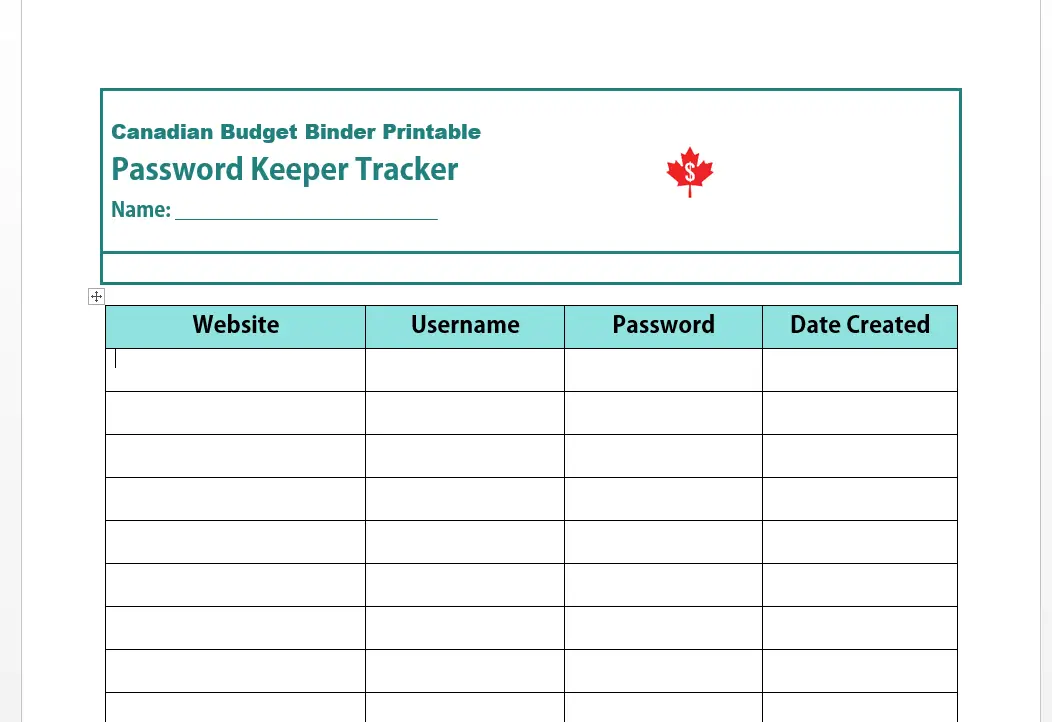
If you decide to use the Canadian Budget Binder Free printable Password Keeper Tracker you can store it in your budget binder.
I kept the printable simple just as the password apps do include the website, username, password, and date created.
There is a small note section at the bottom but that’s all you need for this type of document.
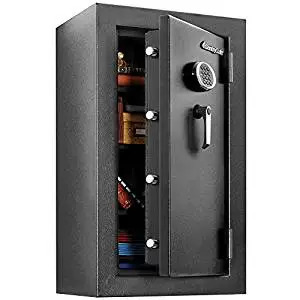
However, if you don’t feel comfortable doing so the next best thing is to purchase a fireproof safe and store the document inside.
Any time you need to get a password or username or change one you know where that document is kept.
We have a small fireproof safe that we keep all of our important documents in which includes this valuable printable.
Another option is to create an excel document and password protect with encryption.
See the link at the end of this blog post for the free budget binder printable.
Keeper Manager App Review

As I mentioned we use Keeper Security to protect our passwords and stay safe online.
Keeper is the number one password manager for protecting you from cyber threats with over 10 million downloads on Google Play.
Anytime you create a new account Keeper will offer you a password, offer to store your password, or ask you if you want to fill in a stored password.
It’s great!
There is the Free option to use Keeper but we went all out after trying that for a few months.
We wanted all of the benefits that Keeper offered which I will explain below.
All of our personal and business information is kept safe on Keeper and I don’t have to memorize them ever again.
The data that you save on the Keeper app is encrypted and they alert you anytime there is a potential compromise.
This is when they might tell you to change a password for a certain website that you have saved in your password manager.
On Keeper the app allows you to keep a favourites tab so you can move websites you visit often to without having to search.
How To Create A New Record In Keeper Password Manager
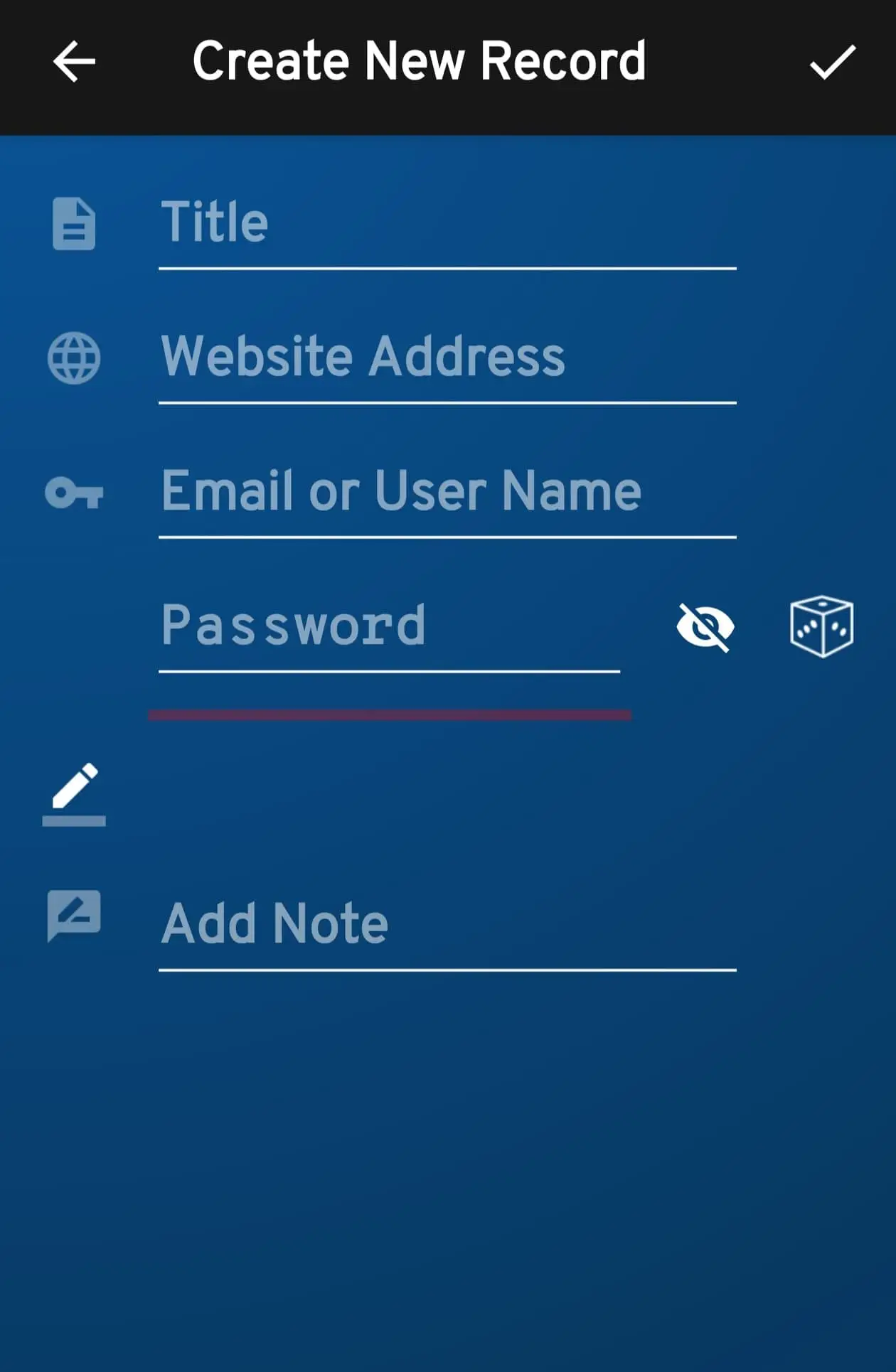
When you create a new record in Keeper this is what it will ask you for.
- Title of the record: Canadian Budget Binder
- Website Address: www.canadianbudgetbinder.com
- Email or Username: Mr.CBB
- Password: None of your beeswax haha!
Down below there is an area where you can add notes about the website.
Keeper also offers:
- Security Audit
- BreachWatch
- Two-Factor Codes
- Credit Card Storage
- Data Vault (this is where your password info is kept)
- 24/7 Customer Support and (exclusive training from support specialists for business owners)
You can add family members to the account as well which is great and protect your business at the same time.
Another great feature for only $12.99 billed annually is that you can add a 10gb file storage.
In the storage, you can attach files, photos, and videos that you want to protect.
One weak password can ruin your business or personal life so it’s important to keep password security.
Businesses have spent millions of dollars on data breaches and now have a password protection policy.
This is why Keeper is great for companies who want to secure your organization’s passwords.
You’ll also find that Keeper is very easy to use and navigate which makes this app tops in my book.
How much does Keeper cost?
Considering the amount of time I’ve wasted having to try and find saved passwords, creating a new password, or trying to remember an old password this app is worth every dollar.
I looked through many management apps before I decided to go with Keeper for our personal and blog password management.
Not only was the price reasonable but the customer service was excellent as was the communication from the company.
I felt these were very important to me as a business owner who has a billion passwords to remember but no longer.
There are some passwords that I allow my computer to remember but I don’t like to do that.
If for example, I leave my computer on or have to send it for repairs you now have given someone access to important information.
You can’t trust anyone.
Keeper Costs
Keeper Personal, Family, and Business costs all differ and come with bundle options.
Pricing is subject to change once this blog post is published but you can research each bundle at the Keeper website.
Personal
- Keeper Max Bundle: $6.01 per month or $72.22 USD billed annually
- Password Manager: $2.91 per month or $34.99 USD billed annually
- Keeper Plus Bundle: $4.87 per month or $58.47 USD billed annually
There are also powerful add-on’s that you can order for each of these bundles.
Students
If you are a student Keeper will offer you 50% off which is awesome!

Family
- Family Max Bundle: $12.39 per month or $148.72 USD billed annually
- Keeper Family Password Manager: $6.24 per month or $74.99 USD billed annually
- The Keeper Family Plus Bundle: $8.62 per month or $103.48 USD billed annually
Business
- Keeper Business $3.75 USD per month, per user $45 billed annually
- The Keeper Enterprise: $5.00 per user, per month $60 billed annually
There are also powerful add-ons for business owners which you can research at the Keeper Website.
Final Thoughts
I’ve always been the guy who made sure there was a PLAN B just in case something were to happen.
This is why we created the budget binder printable “Password Keeper Tracker” and store it in our fireproof safe.
Whatever option you choose make it one that you won’t look back and regret someday.
Remember those you might leave behind and the importance of them knowing all the details needed for passwords and usernames.
Download the Free Canadian Budget Binder Password Keeper Tracker here.
Discussion: What type of personal information management system do you use? Leave me your comments and feedback below.
Mr.CBB